


Baby Piano for Kids & Toddlers
2.95.00 Reviews
App Specs
- Version
- 1.4.5
- Updated On
- License
- Free
- Downloads
- 1,000,000+
- Developer
- Wow Kids Media
- Categories
- Music
- Platform
- Android
Screenshots
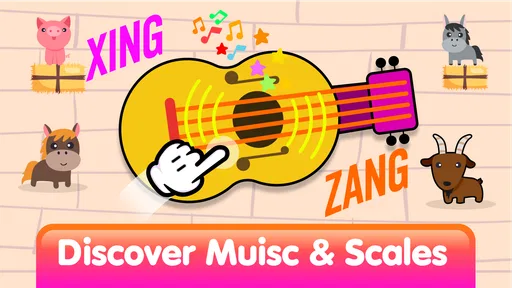
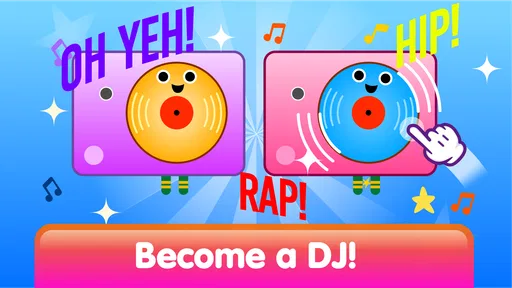
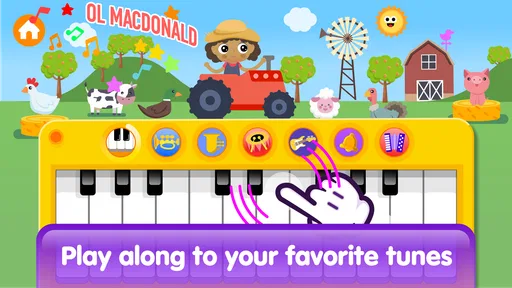
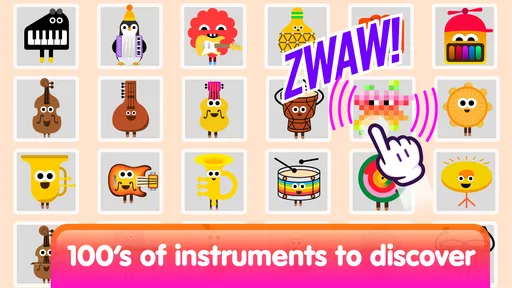
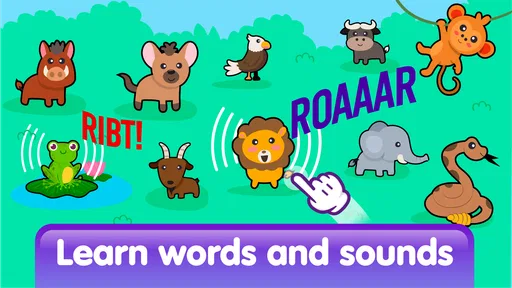
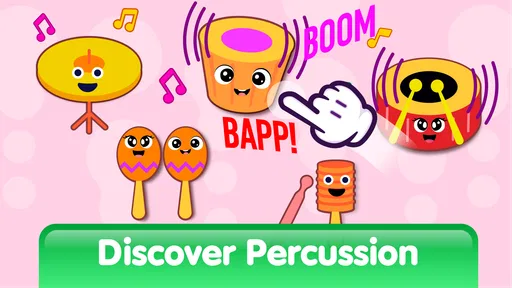
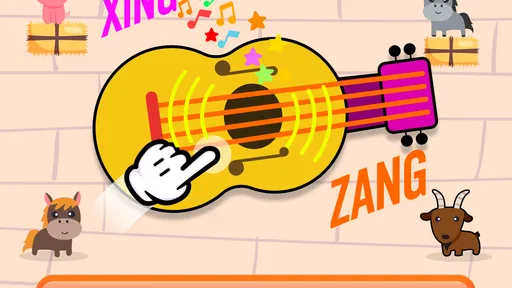
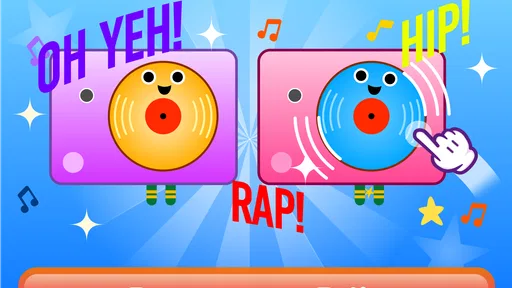
 Analysis by AppCompare
When I first opened Baby Piano for Kids & Toddlers, I approached it less like a conventional game and more like a small musical play space for very young children. That distinction matters. There are no complicated rules to learn, no score to chase, and no need for a child to understand reading before making a sound. The main appeal is immediate interaction: tap the piano, listen, try another key, and gradually connect an action on the screen with a musical response.
This is a free music game from Wow Kids Media, aimed at toddlers and young children. It is rated for Everyone, and it runs on Android devices using version 6.0 or later. The app has passed the one-million-install mark, so it is clearly reaching a large audience, although its average rating of 2.9 shows that the experience is not equally satisfying for every family. I think that mixed reception is useful context: this can be a pleasant first musical toy, but it should not be mistaken for a complete piano-learning course.
What to expect before handing it to a child
The best way to understand this app is as an accessible introduction to musical cause and effect. A child touches a large on-screen control and hears a note or sound. That simple loop can be surprisingly engaging for a toddler because it rewards experimentation without demanding accuracy. A child does not need to know where middle C is, how rhythm works, or how to follow written notation. The first goal is simply to make something happen and notice the result.
The store presents it as an educational baby piano and a collection of music activities involving songs and sounds. In practice, I would set expectations carefully. The educational value comes mainly from exploration, listening, repetition, and hand-eye coordination. It may encourage a child to notice pitch and rhythm, but it does not replace lessons, a real keyboard, or a structured music curriculum. Parents looking for formal instruction should treat it as a playful starting point rather than a teaching system.
The large, uncomplicated presentation is particularly suitable for children who are still developing precise touch control. Toddlers often press with a whole finger, tap repeatedly, or touch several places at once. A good first session should allow that kind of imperfect interaction instead of making the child feel that every mistake is wrong. That is where the app’s basic concept works well: the child can be curious without having to perform.
There is also a practical advantage over keeping a real instrument within reach. A phone or tablet is easier to carry during a short wait, a quiet indoor activity, or a supervised play session. It avoids the volume and space issues of a physical keyboard. On the other hand, the screen is less tactile than real keys, and a child can quickly move from musical play to random tapping. I would use it as one activity among several, not as a replacement for singing, clapping, or touching a real instrument.
The free download makes trying it straightforward, but the app includes optional in-app purchases ranging from $1.99 to $23.99 per item. I would check the purchase settings before letting a child play independently. Even when the child only wants to make sounds, a curious tap can lead toward content or purchase prompts in many children’s apps. A supervised first session is the sensible approach, especially on a shared device.
Worth Reading Before You Choose

EA SPORTS FC Mobile 26 Is a Bigger Football Game, but It Takes Time

Flipboard Shows What News Apps Must Do Beyond the Feed

Switching to Android Auto Means Rethinking Your Driving Routine

Google Calendar Makes a Crowded Week Easier to Manage

Ludo King Makes the Most of the Minutes Between Plans

Baby Panda World Brings Quick Play to Modern Phones, but Its Game Library Feels Busy
Who is likely to enjoy it most
I see the strongest fit for parents who want a low-pressure musical distraction for a toddler, especially a child who enjoys tapping colorful objects, repeating sounds, or copying simple songs. It can also suit grandparents or caregivers who want an activity that does not require them to explain complex instructions. A child can begin with a single finger and still feel successful.
It is less suitable for an older child who already expects a full game structure, progression, challenges, or measurable improvement. It may also disappoint families searching for detailed lessons, sheet music, instrument technique, or a clear practice plan. If the child becomes frustrated because the app feels too simple, a beginner keyboard app with guided exercises or a small physical keyboard may be a better next step.
Starting smoothly and reaching the first musical success
I focus on making the first visit feel manageable: an adult can preview the piano area, set a comfortable volume, and choose one simple action to demonstrate rather than presenting every option at once. Once the child sees that a touch produces a sound, the next question is how to turn that discovery into a shared musical moment.
The first setup should be done by an adult
I recommend that an adult open the app before presenting it to the child. This gives you a chance to see how the opening screen behaves, identify the main piano area, and notice where songs or other activities are placed. It also lets you handle any purchase-related elements before a toddler begins touching the screen. That small preparation removes most of the avoidable confusion from the first session.
Keep the first introduction short. Instead of explaining every part of the app, place the device securely and show one deliberate tap. Then pause and let the child copy you. Toddlers learn more effectively here through imitation than through a long verbal explanation. If you demonstrate several buttons at once, the child may focus on the movement rather than the sound. One action, one response, and a moment to listen is a better opening rhythm.
Device position makes a difference. A tablet laid flat can encourage two-handed exploration, while a phone held upright may be easier to carry but gives less room for broad tapping. I would avoid handing it over while walking or eating, since accidental touches can make the app seem unpredictable. A stable surface also helps the child understand that the sound comes from the place they touched.
Volume is worth adjusting before the child starts. Musical sounds that seem pleasant to an adult can become tiring when repeated rapidly at close range. I prefer a moderate level that allows the child to hear each note without filling the room. This also makes it easier for a parent to speak, sing along, and turn the session into shared play rather than passive screen time.
How to create the first meaningful success
The first success should not be “playing a song correctly.” For a toddler, success is noticing that a chosen touch produces a predictable musical response. I would tap one key, wait, and then invite the child to tap the same area. After that, I would move to a nearby key and ask whether the sound seems the same or different. The question does not need a correct answer; the comparison itself encourages listening.
A useful routine is to connect the screen with a familiar vocal activity. I might sing a short phrase, tap a few notes, and then let the child answer with their own taps. The purpose is not to reproduce the melody exactly. It is to give the sounds a social context, which makes the activity more memorable than leaving the child alone with a screen full of buttons.
Another effective approach is turn-taking. I take one turn, the child takes one turn, and then we both listen. This reduces frantic tapping and introduces a basic musical habit: making space for sound. It also gives the caregiver a way to judge whether the child is genuinely interested or simply reacting to movement on the screen.
For a very young child, the first session can end after only a few minutes of focused play. Stopping while the child is still curious is better than waiting until the activity becomes irritating. On the next visit, the child may remember the basic interaction and reach the meaningful action more quickly. That gradual familiarity is more valuable than trying to cover every available activity immediately.
Common confusion during early play
The most common misunderstanding is expecting the app to behave like a real piano. A real keyboard provides physical spacing, resistance, and a clear relationship between hand position and pitch. A touchscreen offers a flatter, more forgiving surface. If a child presses several areas together, the result may sound messy, but that is not necessarily a failure. It is simply the difference between a digital toy and an instrument with physical keys.
Parents may also wonder whether random tapping is educational. It can be, up to a point. Random tapping helps a child discover cause and effect, but it becomes less useful when the child is no longer listening. I would gently introduce pauses, copy a sound pattern, or ask the child to find the same place again. These small changes turn uncontrolled tapping into a listening exercise without making the experience feel like homework.
Another point of confusion is the difference between a song activity and free piano exploration. A child may move between them without understanding why the screen changed or what is expected. I would choose one mode at a time and explain it with an action rather than a description. For free play, say “make a sound.” For a song, say “listen first, then try.” Keeping those goals separate helps the child understand what to do next.
The app’s modest average rating also suggests that families should approach it with realistic expectations. With 486 ratings and five written reviews, the public response is not uniformly enthusiastic. I would not read that as a reason to dismiss it, because toddler apps can work very differently depending on the child, device, and parent involvement. Still, it is a reminder to test the basic interaction yourself before assuming it will become a favorite.
Turning a short session into better musical play
One non-obvious strength is that the app can work as a prompt for activities away from the screen. After a few taps, I might ask the child to clap slowly, clap quickly, or sing the sound they just heard. The app then becomes the beginning of a broader music moment instead of the entire activity. This is especially useful when a child enjoys the sounds but loses interest in the screen itself.
I also find that naming the child’s action is more useful than praising every tap. Saying “you touched the high note” or “you made two sounds” draws attention to what actually happened. Even if the child cannot repeat the words, they begin to connect movement, sound, and simple musical ideas. That gives the educational angle more substance than simply leaving the app running.
A second practical tip is to use the app for a predictable transition. For example, during a quiet afternoon before a nap, I could allow a brief piano session followed by putting the device away and singing one final song together. The repeated routine teaches the child that the activity has a beginning and an end. It also helps prevent the app from becoming an endless request whenever the child wants entertainment.
A third trade-off involves independence. The simple design may let a toddler explore without constant instruction, but children can also leave the intended activity quickly. I would give the child a few minutes alone only after checking the screen and purchase areas myself. For younger toddlers, staying nearby is more valuable than trying to turn the app into an unsupervised learning tool.
What to try after the first successful session
Once the child understands that tapping creates sound, the next step is variation rather than difficulty. Try alternating two keys, copying a short pattern, or asking the child to wait for your turn. If songs are available in the activity flow, introduce them after the child is comfortable with basic tapping. The aim is to move from “I can make a noise” toward “I can listen, remember, and respond.”
Do not rush to unlock or purchase anything simply because the child enjoys the free interaction. First decide whether the basic piano play holds attention across several short sessions. The paid items cost between $1.99 and $23.99 each, so the higher-priced options deserve an adult decision rather than an impulse made during play. I would consider an in-app purchase only if the child repeatedly returns to the app and the added material clearly supports the kind of music activity your family wants.
It is also worth comparing the experience with the usual alternatives. A physical baby keyboard offers more realistic touch feedback and does not require a screen, but it takes space and can be louder. A video-based sing-along app may provide stronger performance and storytelling, but it often encourages watching rather than touching and listening. A formal piano-learning app is better for an older beginner who can follow instructions, while this game is more approachable for a child who is still learning what a musical instrument does.
For a family already using a real keyboard, this app can serve as a portable supplement. A child might explore sounds digitally while traveling and then repeat the idea on the physical instrument at home. For a family without any instrument, it offers an inexpensive way to see whether musical exploration interests the child before buying equipment. That is a sensible use case, provided the parent understands that screen taps will not build the same finger habits as real keys.
Compatibility is relatively broad because the current version, 1.4.5, supports Android 6.0 and later. I would still test it on the specific device the child will use, since screen size and touch responsiveness affect how comfortable the piano feels. A cramped phone display may be workable for occasional play, while a larger screen is generally easier for a toddler who uses broad movements.
After trying the app, my view is that its value depends heavily on how it is introduced. Left as a button-tapping distraction, it may become repetitive quickly. Used for short, shared sessions with singing, turn-taking, and listening, it can provide a friendly first encounter with musical play. The strongest result comes from treating the app as a doorway to music, not as a substitute for music-making together.
I would recommend Baby Piano for Kids & Toddlers to parents seeking a free, gentle starting point for a young child who enjoys sounds and touch interaction. I would skip it if the goal is formal piano progress, detailed lessons, or a deep game system. The free entry point, Everyone age rating, and simple first action make it reassuring for beginners, while the mixed rating and optional purchases call for sensible supervision.
In my experience, the right first visit is simple: an adult checks the app, adjusts the volume, demonstrates one tap, waits for the child to respond, and ends with a short musical routine. If that small exchange produces curiosity rather than frustration, the app has done its job. It gives a child a safe place to discover that their hands can create sound, and it gives a parent an easy starting point for turning that discovery into real-world singing, clapping, and instrument play.
Pros
- Bright visuals and playful sounds keep young children engaged.
- Simple touch controls are easy for toddlers to understand.
- Works well for short
- independent play sessions.
- Helps introduce basic rhythm and cause-and-effect learning.
- Child-friendly design makes accidental navigation less likely.
Cons
- Some activities may feel repetitive after extended play.
- Sound effects can become loud without careful device volume control.
- Limited depth may not satisfy older children or musical learners.
- Ads or locked content may vary depending on the app version.
- Requires supervision to prevent unintended taps or device changes.
FAQs for Baby Piano for Kids & Toddlers
What is Baby Piano for Kids & Toddlers?
Baby Piano for Kids & Toddlers is a colorful, touch-friendly music app designed for babies, toddlers, and preschool children. It usually combines virtual piano keys with playful sounds, songs, animations, and simple interactive activities. The controls are intentionally easy to use, allowing young children to tap the screen, explore different notes, and enjoy music without needing previous musical experience.
Is Baby Piano for Kids & Toddlers suitable for very young children?
The app is generally aimed at babies and toddlers because its interface uses large buttons, bright visuals, and straightforward touch controls. Younger children can experiment freely, while preschoolers may enjoy trying to follow melodies or recognize different sounds. Parents should still supervise play, especially with children who may accidentally open advertisements, settings, or external links.
Does the app work without an internet connection?
Many of the basic piano features in Baby Piano for Kids & Toddlers can typically be used offline after installation, which makes the app convenient for travel or quiet playtime away from Wi-Fi. However, certain features may depend on an internet connection, including advertisements, optional content, updates, or links to other applications. Check the store listing for the current offline limitations.
Is Baby Piano for Kids & Toddlers free to download and use?
The application may be available as a free download, but the exact business model can vary by platform and version. Free editions may include advertising, optional purchases, or locked content that requires payment to unlock. Before installing, parents should review the Google Play or App Store listing carefully and check whether in-app purchases or subscriptions are offered.
Is Baby Piano for Kids & Toddlers safe for children?
The app is designed as child-friendly entertainment, but no application should be treated as completely risk-free without parental supervision. Parents should review its advertising, privacy information, permissions, and purchase settings before handing over the device. Using parental controls, disabling unwanted purchases, and choosing an ad-free option when available can provide a safer and more controlled experience.


